Download mydlink Lite free on android
APK file mydlink Lite 3.8.17How to install APK / APKS / OBB file on Android
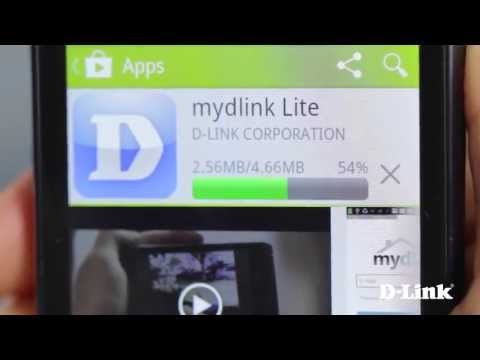

Quickly and easily view your live Cloud Camera feeds and manage your Cloud Routers from anywhere using a Wi-Fi or 3G/4G connection. Whether you're at the office, having an evening out, or away on vacation, the mydlink Lite app gives you access to your Cloud Cameras, Cloud Routers and NVR even when you’re on-the-go.
You can also check your Cloud Router’s current upload/download bandwidth, or manage your wireless network security and status. Parental controls let you see what sites your children have visited when you were away, and you can even block or unblock network access for individual devices.
For more information, go to mydlink.com or dlink.com
Features:
- View live video from your Cloud Camera, including a full-screen view. Tablet users may purchase the mydlink+ app for multiple camera viewing.
- Supports H.264 video streaming for smooth high-quality video (specific models only.)
- Listen to audio from your camera’s microphone (audio-enabled models only)
- Save snapshots of your camera’s video to your phone
- View the online status of your Cloud Cameras and Cloud Routers
- Remotely monitor and configure your Cloud Routers
- Access and view your camera's video feed (without audio) through your NVR.
- Support remote viewing period of five minutes in relay mode. Helpful 60 second left countdown timer.
- Touch and drag to move your view around for non-PT cameras. Pinch to zoom in/out.
- Toggle camera's view modes between Night mode, Day mode, and Automatic mode.
- After initial settings on the mydlink website, you can enable/disable motion/sound detection from the app for supported cameras.
-You can talk back with 2-way audio support (for DCS-942L, DCS-5211L, DCS-5222L, DCS-2132L, DCS-2310L, DCS-7010L, DCS-6010L), and cameras will mute their microphones to avoid feedback during two-way audio communication.
- SD Card Playback
- Camera firmware upgrade feature
- Push notifications: Tap to select which device you want to receive push notifications from.
- Local mode: Allow users to explore and access nearby cameras that are connected to the same LAN network with your phone.
- Online setup: Users can follow the online setup feature to configure new cameras. This app will lead you to configure your camera from A to Z.
- White light light-emitting diode feature of DCS-2136L
Please check https://www.mydlink.com/content/productfamily for supported model list.
Note:
* The mydlink Lite app is dynamically linked to the FFmpeg shared video decoding library, which is compiled to contain LGPL decoders and splitters only. The repository can be cloned from git://github.com/dlinker/mydlink-Lite---Android.git using the git clone command.
*For tablet users, we recommend downloading the mydlink+ app.
* mydlink Lite is not guaranteed to support Android devices using ""dirty"" linux kernel (e.g. LG P990).
- LicenseFree
- File namemydlink Lite
- File Version3.8.17
- Package namecom.dlink.mydlink
- UploadedDecember 10, 2023
- CategoryProductivity
- DeveloperD-Link Corporation
- Developer site
- Developer emailsupport@dlink.com
- Permissionsshow (21)